
LITE
Up to 3 people
For an individual or a small team.
$4.99/ month
U.S. monthly price · USD
One workspace per subscription. Counts active people, including the purchaser, admins and members.
See sales by team, open the one that matters, and follow the same path to each member’s results.
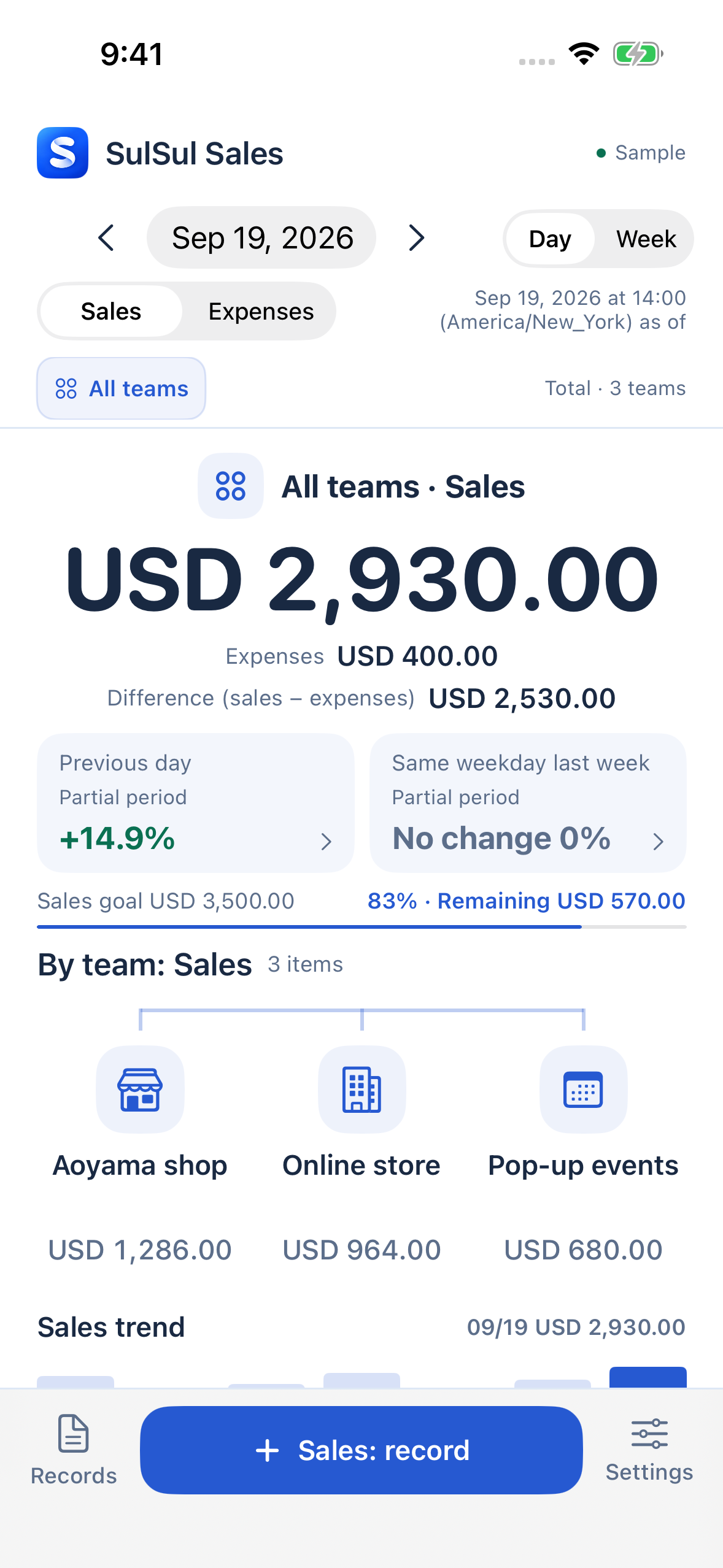
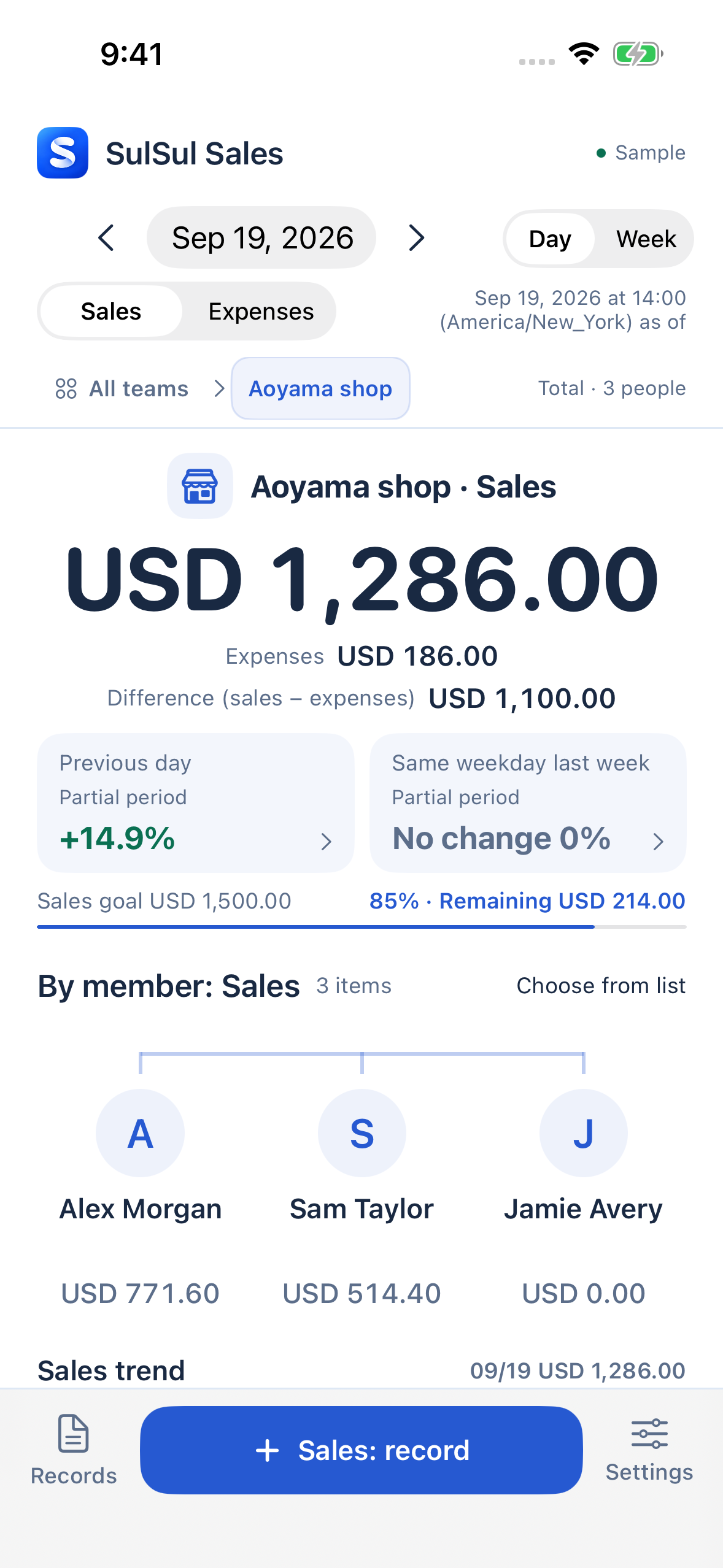
Select a screen to see it full size. Sample data shown.
01 / THE PICTURE
Start with total sales, then see what each team contributed. Open a team to see the results for each person.
View total sales of USD 2,930.00 alongside the amounts for all three teams.
Open Aoyama shop’s USD 1,286.00 to see the results for Alex Morgan, Sam Taylor and Jamie Avery.
Select a name to see that person’s sales, expenses and daily trend.
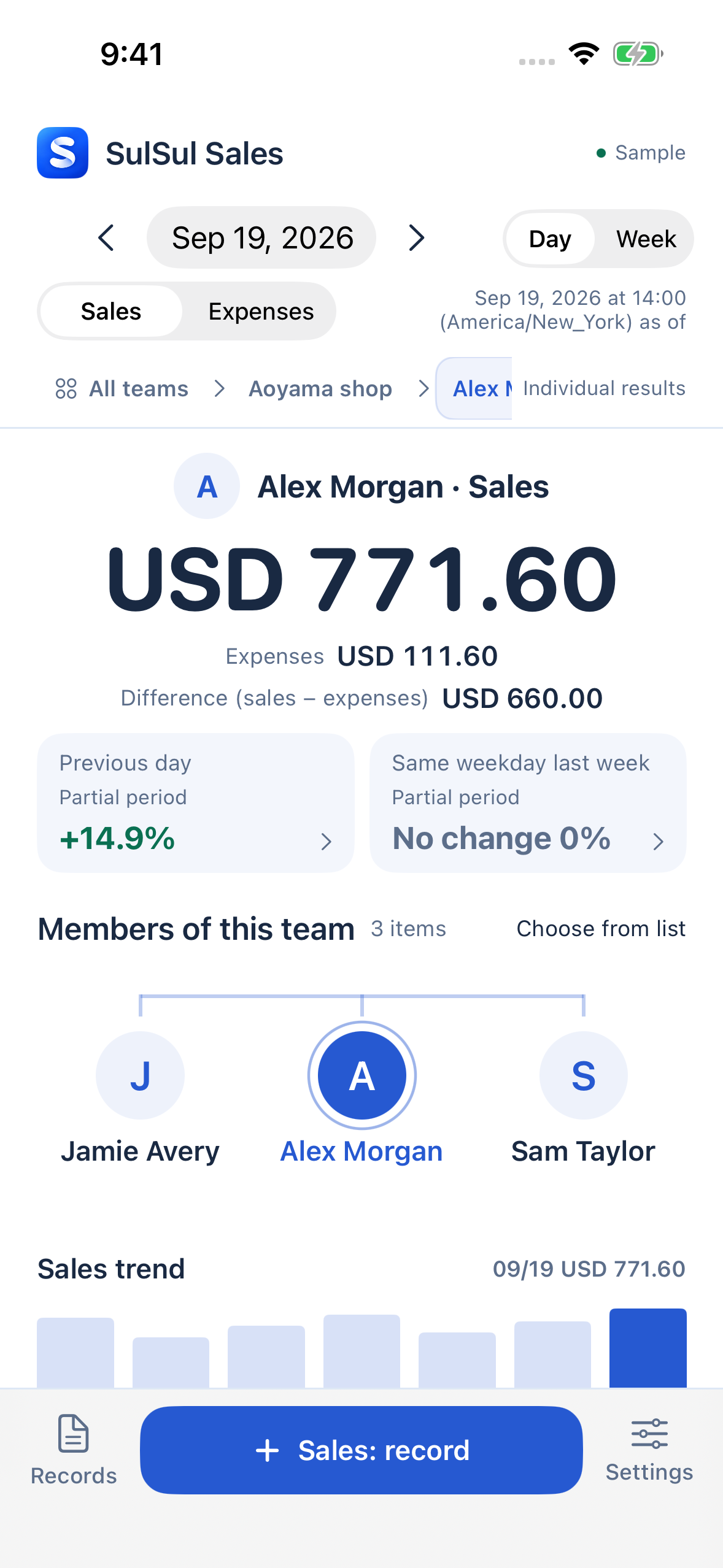
Illustrative examples using actual app screens. People, businesses and amounts are fictional. Some on-screen wording differs from the current app.
02 / SALES TEAM RESULTS
For sales teams, individual results connect to the team total. Check progress toward a sales goal and changes since yesterday in the same flow.
Compare with yesterday or the same weekday last week. For a period still in progress, compare results up to the same time.
Check the percentage of your sales goal achieved and the amount still needed. Goals that have not been set are identified, too.
Switch between daily and weekly results to follow how sales and expenses change.
03 / RECORD
When it happened, whose result it was, and what it was for. Keep the date, team member and a note, then check the details from your records. You can record expense amounts, too.
Record sales by product and quantityRecord sales and expenses as amounts. Where workspace settings and permissions allow, enter sales from saved products and quantities.
Review records with your teamShare results with permissions for viewing, recording and administration. Corrections, voids and CSV export follow those permissions.
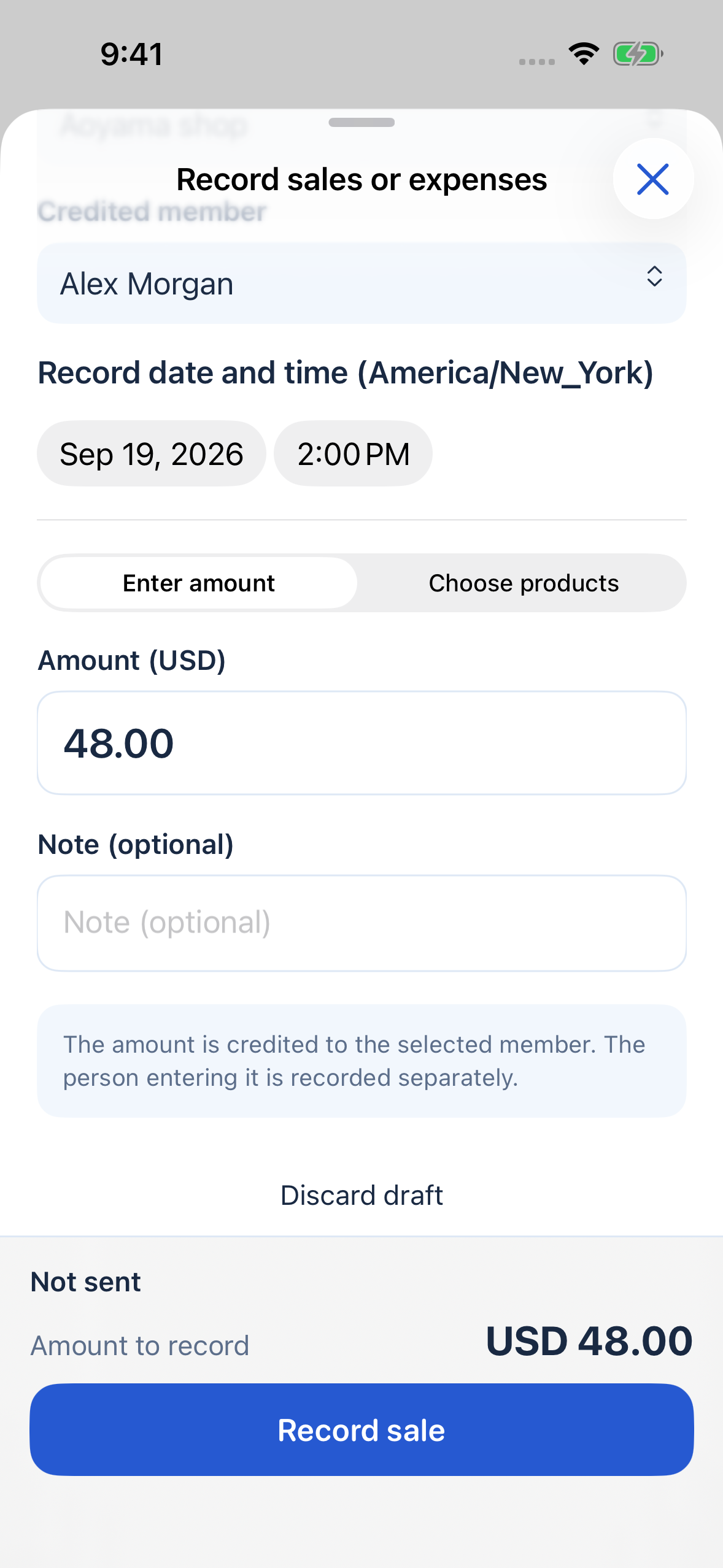
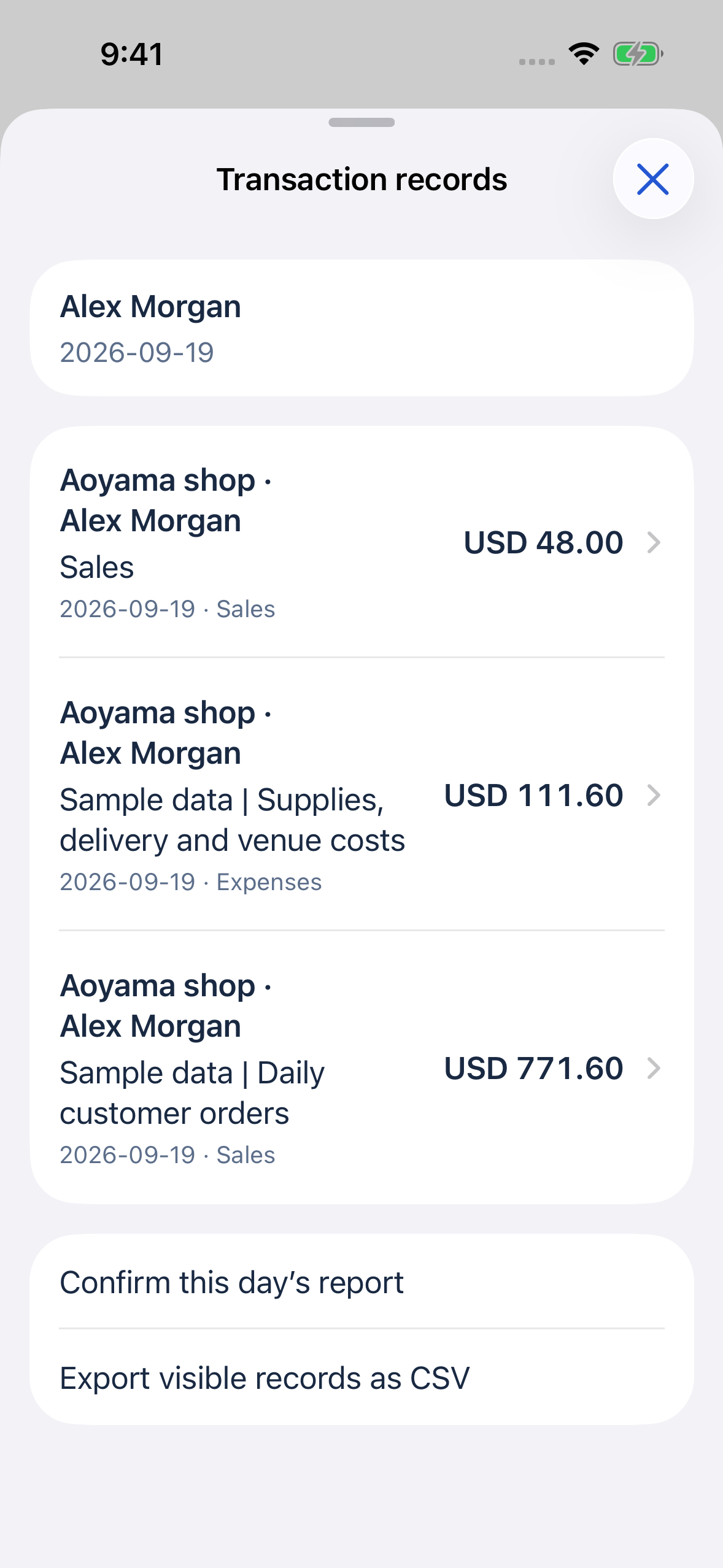
Actual app screens with fictional data. About these screens
PLANS / COMING TO THE APP STORE
The iPhone app and subscriptions are being prepared for App Store release. They cannot be purchased on this page.
LITE
For an individual or a small team.
$4.99/ month
U.S. monthly price · USD
One workspace per subscription. Counts active people, including the purchaser, admins and members.
STANDARD
For sharing results across a shop or sales team.
$9.99/ month
U.S. monthly price · USD
One workspace per subscription. Counts active people, including the purchaser, admins and members.
BUSINESS
For working with a larger group.
$19.99/ month
U.S. monthly price · USD
One workspace per subscription. Counts active people, including the purchaser, admins and members.
Each person is counted once, even when they belong to multiple teams. This page shows U.S. prices. Your Apple Account storefront may use a different currency and price; check Apple’s purchase confirmation for the amount and terms.
Once subscriptions are available, Apple determines introductory-offer eligibility. The trial starts when you complete Apple’s purchase confirmation, not when you create an account. It then renews automatically at the displayed monthly price. To avoid a charge, cancel in Apple subscription settings before the deadline shown in the purchase confirmation.
QUESTIONS
A few details before you begin.
For anything else, contact support.
Use “Open web app” on this page to access the web version. An account and an internet connection are required. The iPhone app and App Store subscriptions are being prepared for release. Purchase and download links will be added when they are available.
Yes. SulSul Sales supports individuals, shops and sales teams. Administrators set team membership and permissions for viewing, recording and administration. The information and actions available to each person follow those settings.
The interface supports English and Japanese. Each workspace uses one currency: JPY, USD, GBP, CAD, AUD or NZD, along with a business time zone and week start. Switching language does not change entered names or recorded amounts. No currency conversion is performed, and changes to currency and calendar settings are restricted once the workspace is in use. English and Japanese screenshots use separate sample datasets.
SulSul Sales is for recording sales and expenses and reviewing results. “Difference” means sales minus recorded expenses, not accounting profit. The app does not prepare tax returns, calculate payroll or issue invoices.
No. Once subscriptions are available, a trial starts when an eligible subscriber completes Apple’s purchase confirmation. After one week it renews automatically at the monthly price. Check Apple’s purchase confirmation for eligibility, pricing, renewal dates and cancellation deadlines.
Email info@sulsul.jp. Messages are reviewed in order. Support is not real time.
Start with the screen preview. Explore the total, a team and each person’s results in SulSul Sales.
An account and an internet connection are required.